

Over 81% of people believe they have a book in them, yet fewer than 3% will ever write one. The difference between dreamers and published authors often comes down to one crucial decision: choosing where to write a book online that actually supports their creative process.
The digital revolution has transformed book writing from a solitary, paper-based endeavor into a collaborative, cloud-powered experience. Modern authors no longer need expensive software or complicated setups to craft their masterpieces. Instead, they’re discovering that the best place to write their stories exists entirely online, accessible from any device, anywhere in the world.
This comprehensive guide explores the top platforms where aspiring and experienced authors can write, organize, and polish their books entirely online. Whether you’re crafting your first novel, developing a business book, or creating a memoir, the right digital writing platform can make the difference between a finished manuscript and an abandoned project.
Key Takeaways
• Google Docs and Microsoft Word Online offer the most accessible entry points for new authors, with free access and familiar interfaces
• Specialized platforms like Scrivener and Reedsy provide advanced organization tools that serious writers need for complex projects
• The best platform depends on your specific needs – simple writing tools work better for beginners, while advanced features benefit experienced authors
• Cloud-based writing ensures your work is always safe with automatic backups and cross-device synchronization
• Starting simple and upgrading later proves more effective than choosing overly complex tools from the beginning
Why Write a Book Online?
The shift toward online book writing platforms represents more than just technological convenience—it’s a fundamental change in how authors approach their craft. Traditional word processors tied writers to single devices and created constant anxiety about lost work. Modern online platforms eliminate these barriers while introducing powerful new capabilities.
Access from anywhere stands as the primary advantage of online writing platforms. Authors can continue their work whether they’re at home, in a coffee shop, or traveling across the country. This flexibility transforms dead time into productive writing sessions and helps maintain momentum on long projects.
Automatic saving and backups eliminate the nightmare scenario every writer fears: losing hours or days of work to a computer crash. Cloud-based platforms save changes in real-time, creating multiple backup copies that ensure your manuscript survives any technical disaster.
Collaboration and sharing capabilities allow authors to work with editors, beta readers, and co-authors seamlessly. Instead of emailing document versions back and forth, online platforms enable real-time collaboration with comment systems and suggestion modes that streamline the editing process.
Easy organization tools help writers manage complex projects with multiple chapters, research notes, and character development documents. Advanced platforms offer features like split-screen viewing, document linking, and hierarchical folder structures that keep everything accessible and organized.
Online tools prove especially valuable for beginners who might feel overwhelmed by traditional publishing software. The learning curve remains gentle, costs stay low, and the risk of technical problems decreases significantly. New writers can explore various approaches without major upfront investments in software or equipment.
Best Platforms: Where to Write a Book Online
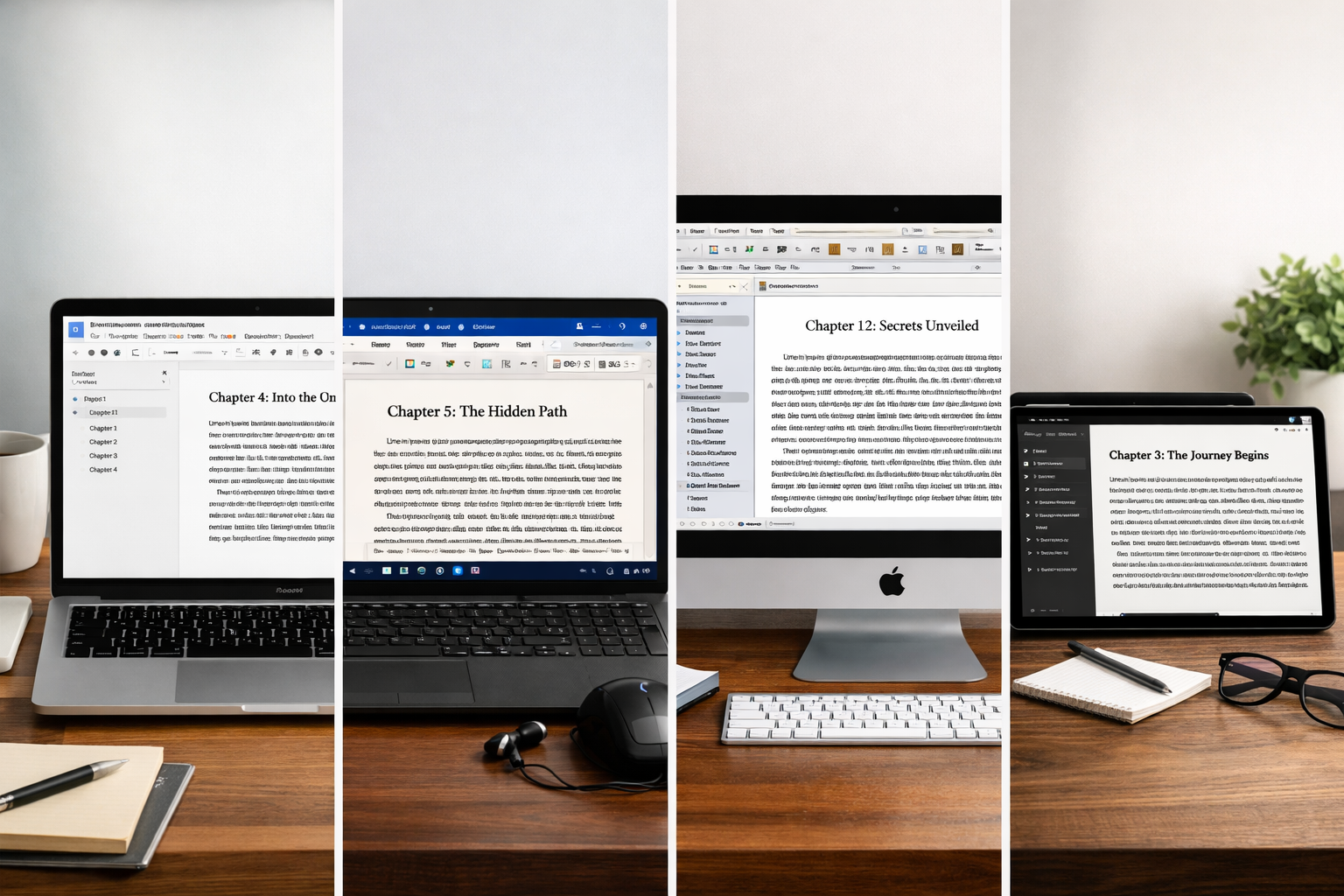
Google Docs: The Universal Starting Point
Google Docs serves as the gateway drug for online book writing, offering a completely free platform that works on any device with internet access. Its familiar interface mirrors traditional word processors while adding cloud-based superpowers that make it ideal for first-time authors.
The platform’s real-time saving means writers never lose their work, even if their browser crashes or their internet connection drops. Every keystroke gets saved automatically, creating a detailed revision history that allows authors to recover any previous version of their text.
Collaboration features shine when working with editors or writing partners. The suggestion mode allows others to propose changes without altering the original text, while the comment system enables detailed feedback on specific passages. Multiple people can work on the same document simultaneously without conflicts.
Voice typing capabilities let authors dictate their stories, which can significantly speed up the initial drafting process. This feature proves especially valuable for writers who think faster than they type or those dealing with repetitive strain injuries.
The main limitations include basic formatting options and limited organizational tools for complex projects. Google Docs works best for straightforward books without extensive research components or intricate structural requirements.
Microsoft Word Online: Familiar Power in the Cloud
Microsoft Word Online brings the world’s most popular word processor to the cloud, offering a perfect balance between familiarity and modern online features. Authors who’ve used desktop Word will feel immediately comfortable while gaining access to cloud-based collaboration and automatic saving.
Advanced formatting tools surpass most online alternatives, providing precise control over typography, page layouts, and document structure. The platform handles complex formatting requirements like footnotes, headers, and table of contents with professional-grade accuracy.
Seamless integration with other Microsoft Office tools allows authors to incorporate Excel spreadsheets for research tracking or PowerPoint presentations for book proposals. This ecosystem approach streamlines the entire book creation process.
Offline capabilities distinguish Word Online from purely web-based alternatives. Authors can download documents for offline editing, then sync changes when they reconnect to the internet. This feature proves invaluable for writers who travel frequently or have unreliable internet connections.
The platform requires a Microsoft account but offers substantial free storage and features. Premium subscriptions unlock additional capabilities like advanced editing suggestions and expanded cloud storage.
Scrivener: The Professional’s Choice
Scrivener represents the gold standard for serious book writers, offering unmatched organizational capabilities and research management tools. While traditionally a desktop application, Scrivener’s cloud synchronization features make it effectively an online platform for modern authors.
Advanced project organization allows writers to break their books into scenes, chapters, and parts while maintaining a bird’s-eye view of the entire structure. The corkboard view lets authors rearrange scenes like index cards, making structural editing intuitive and visual.
Research integration capabilities let writers store character profiles, location notes, web clippings, and reference images alongside their manuscript. Everything remains searchable and easily accessible without leaving the writing environment.
Flexible writing modes accommodate different creative processes. Authors can write in full-screen mode for distraction-free sessions, use split-screen mode to reference research while writing, or switch to outline mode for structural planning.
Compilation features export finished manuscripts in multiple formats, including standard submission formats for agents and publishers. This eliminates the need for additional formatting software and ensures professional presentation.
The learning curve is steeper than simpler alternatives, and the subscription cost may deter casual writers. However, serious authors who understand the commitment required often find Scrivener’s capabilities justify the investment.
Reedsy Book Editor: Purpose-Built for Authors
Reedsy Book Editor was designed specifically for book creation, offering a streamlined interface that focuses on the essential elements of manuscript development. The platform eliminates unnecessary features while optimizing for the book writing and publishing workflow.
Chapter-based organization automatically structures books into logical sections, making navigation and editing straightforward. Authors can easily reorder chapters, add new sections, or merge existing content without formatting headaches.
Publishing-ready formatting ensures manuscripts meet industry standards from the beginning. The platform handles typography, spacing, and layout according to professional publishing guidelines, eliminating the need for extensive reformatting later.
Export options include multiple formats suitable for different publishing paths. Authors can generate files for print-on-demand services, e-book platforms, or traditional submission requirements with a single click.
Collaboration tools connect authors with Reedsy’s network of professional editors and designers. The integrated marketplace makes it easy to find qualified help when the manuscript reaches the editing phase.
The platform remains free for basic use, with premium features available for authors who need advanced capabilities or professional services integration.
Notion: The Flexible Organizer
Notion takes a unique approach to book writing by treating manuscripts as part of a larger organizational system. Authors can create custom databases for character tracking, plot development, and research management while maintaining their writing in connected documents.
Database functionality allows writers to create sophisticated tracking systems for characters, locations, plot threads, and research sources. These databases link directly to relevant manuscript sections, creating a web of interconnected information.
Template systems let authors create standardized formats for character profiles, chapter summaries, and scene breakdowns. This consistency helps maintain organization throughout long projects and makes information easier to find.
Multi-media integration supports images, videos, web links, and file attachments within the same workspace as the manuscript. Authors can build comprehensive reference libraries without switching between multiple applications.
Customizable workflows adapt to individual writing processes. Some authors use Notion primarily for planning and outlining, while others manage their entire book creation process within the platform.
The flexibility that makes Notion powerful can also make it overwhelming for writers who prefer simpler tools. Authors who enjoy organizing and systematizing their creative process often find Notion transformative.
Wattpad: Write and Build an Audience
Wattpad combines writing tools with social networking, allowing authors to publish chapters as they write and build audiences before their books are complete. This approach works particularly well for fiction writers who want immediate feedback and motivation.
Serial publishing lets authors release chapters on a schedule, building anticipation and engagement with readers. This approach mirrors traditional magazine serialization and can help maintain writing momentum through reader expectations.
Community feedback provides immediate response to new chapters through comments, votes, and messages. Authors can adjust their stories based on reader reactions and build relationships with their audience.
Genre-specific communities help writers connect with readers who enjoy their particular style or subject matter. Wattpad’s algorithm promotes stories to relevant audiences, increasing discoverability for new authors.
Publishing pathways connect successful Wattpad stories with traditional publishers and media companies. Several bestselling books and popular TV shows originated as Wattpad stories, demonstrating the platform’s potential for career development.
The social aspects can be distracting for some writers, and the platform works better for certain genres (particularly young adult fiction) than others. Authors focused on building their writing careers may find Wattpad’s community features valuable.
AI Writing Tools: The Emerging Assistants
Artificial intelligence writing tools represent the newest category of online writing platforms, offering various levels of assistance from basic grammar checking to complete content generation. These tools work best as supplements to human creativity rather than replacements for it.
Outline generation helps authors structure their books by suggesting chapter topics, plot points, or argument sequences based on the book’s theme and genre. This can overcome initial planning paralysis and provide starting points for development.
Draft assistance can help authors work through difficult passages or generate alternative phrasings for complex ideas. AI tools excel at providing multiple options that authors can refine and personalize.
Editing suggestions go beyond basic grammar checking to identify issues with pacing, clarity, and style. Advanced AI editors can spot repetitive language patterns and suggest improvements for readability.
Research support helps authors gather background information and verify facts quickly. AI tools can summarize complex topics and suggest relevant sources for further investigation.
The key limitation is that AI-generated content lacks the personal voice and authentic experience that readers value most in books. Successful authors use AI as a writing assistant rather than a replacement for their own creativity and expertise.
How to Choose the Best Online Platform for Your Book
Selecting the right platform depends on matching your specific needs, experience level, and book goals with the appropriate tool capabilities. The wrong choice can create frustration and slow progress, while the right platform becomes invisible, allowing creativity to flow freely.
Experience level should guide your initial platform choice. New writers benefit from simple, intuitive tools that don’t require extensive learning periods. Google Docs or Microsoft Word Online provide familiar interfaces that let beginners focus on writing rather than learning software. Experienced authors who’ve completed previous projects may want advanced features that justify steeper learning curves.
Project complexity determines which organizational features you’ll actually use. Simple memoirs or straightforward non-fiction books work well in basic word processors. Complex novels with multiple plotlines, extensive world-building, or large character casts benefit from specialized tools like Scrivener or Notion that can manage interconnected information.
Collaboration requirements vary significantly between authors. Solo writers may prioritize distraction-free environments and powerful organizational tools. Authors working with co-writers, editors, or beta readers need robust sharing and commenting capabilities that support smooth collaboration workflows.
Publishing goals influence platform selection because different tools optimize for different endpoints. Authors planning traditional publication may need specific formatting capabilities and export options. Self-publishers might prioritize platforms that integrate with publishing services or provide ready-made formatting for various distribution channels.
Budget considerations affect long-term platform viability. Free tools work well for many authors, but paid platforms often provide significant value through time savings and advanced capabilities. Authors serious about their writing careers should view platform costs as business investments rather than unnecessary expenses.
Technical comfort levels determine how much complexity authors can handle without frustration. Writers who enjoy learning new tools and customizing their workflows may thrive with flexible platforms like Notion. Those who prefer focusing entirely on content creation benefit from simpler, more focused tools.
Step-by-Step: How to Start Writing a Book Online
Step 1: Choose Your Platform Based on Your Goals
Match your platform selection to your specific situation rather than choosing based on popularity or features you might never use. First-time authors should start with Google Docs or Microsoft Word Online to avoid overwhelming themselves with unnecessary complexity. Experienced writers tackling complex projects can jump directly to Scrivener or Notion if they’re comfortable with learning curves.
Consider your book’s genre and structure when making this decision. Fiction writers often benefit from tools that handle character development and plot tracking. Non-fiction authors may prioritize research organization and citation management. Understanding your specific writing needs helps narrow the platform choices to truly relevant options.
Step 2: Set Up Your Writing Space for Success
Create a logical organizational structure before you start writing extensively. Most platforms allow folder or section creation—use this to separate chapters, research notes, character profiles, and other supporting materials. Consistent naming conventions make everything easier to find later.
Establish your chapter structure early, even if you’re not sure about final organization. Creating placeholder documents for each planned chapter provides a roadmap for your writing and makes it easier to jump between sections when inspiration strikes for different parts of your book.
Configure your writing environment for minimal distractions. Turn off unnecessary notifications, set up distraction-free writing modes if available, and organize your workspace to support focused writing sessions. The right environment significantly impacts writing productivity and helps maintain momentum through difficult sections.
Step 3: Start Writing Your First Draft
Begin with the section that feels most natural rather than forcing yourself to write linearly from beginning to end. Many authors find that starting with scenes or chapters they’re excited about builds momentum that carries them through more challenging sections later.
Set realistic daily or weekly writing goals based on your schedule and experience level. Consistency matters more than volume—writing 250 words every day produces better results than attempting 2,000 words once per week. Track your progress to maintain motivation and identify patterns in your most productive writing times.
Focus on getting ideas down rather than perfecting prose during the first draft. Online platforms make editing easy, so resist the urge to polish sentences before completing full sections. Maintaining forward momentum prevents the perfectionism trap that stops many books before they’re finished.
Step 4: Stay Organized Throughout the Process
Use your platform’s organizational features consistently rather than letting your project become chaotic. Regular maintenance of your file structure, character notes, and research materials prevents the overwhelming feeling that can derail long projects.
Create templates for recurring elements like character profiles, scene summaries, or research note formats. Consistent structure makes information easier to find and helps maintain professional standards throughout your project.
Back up your work regularly, even though online platforms provide automatic saving. Export copies to your local device or secondary cloud storage services to ensure multiple recovery options. Technology failures are rare but devastating when they occur.
Step 5: Edit and Refine Your Manuscript
Use your platform’s built-in editing tools for initial revisions, but don’t rely solely on automated suggestions. Grammar checkers miss context-dependent errors and can’t evaluate whether your writing achieves its intended impact on readers.
Consider sharing sections with trusted readers using your platform’s collaboration features. Fresh perspectives often identify issues that authors miss after reading their own work repeatedly. Professional editing becomes valuable for serious publishing goals, but peer feedback helps improve drafts before professional review.
Tips for Writing a Book Online Successfully
Maintain consistent writing habits rather than waiting for perfect conditions or inspiration. Online platforms make it easy to write from anywhere, so take advantage of this flexibility to maintain momentum. Even fifteen-minute writing sessions add up to significant progress over time.
Leverage cloud synchronization by writing on multiple devices throughout your day. Start a chapter on your computer at home, add a paragraph on your phone during lunch, and continue on a tablet in the evening. This approach maximizes your available writing time and keeps your project moving forward.
Use collaboration features strategically by sharing work with beta readers, writing groups, or professional editors at appropriate stages. Don’t share too early when you’re still figuring out basic direction, but don’t wait too long to get outside perspectives on your work.
Experiment with different writing modes available in your chosen platform. Some authors work better in distraction-free full-screen modes, while others prefer split-screen setups that keep research visible alongside their writing. Find what works for your creative process and stick with it.
Take advantage of search capabilities in online platforms to maintain consistency throughout your book. Search for character names, plot elements, or specific terms to ensure you haven’t contradicted yourself or changed details between chapters.
Common Mistakes to Avoid When Writing Online
Platform switching represents one of the most productivity-killing mistakes new authors make. Learning a new tool takes time and energy away from actual writing. Choose a platform that meets your current needs and stick with it until you complete your first draft, even if you discover potentially better alternatives along the way.
Over-organizing can become a form of procrastination that prevents actual writing. While organization helps manage complex projects, spending more time setting up systems than writing content indicates misplaced priorities. Focus on writing first, then organize as needed to support your creative process.
Ignoring backup strategies leaves authors vulnerable to catastrophic loss despite cloud platform protections. Technology fails, accounts get compromised, and services occasionally shut down. Maintain multiple backup copies and export your work regularly to ensure recovery options.
Perfectionism paralysis stops many online books before completion. The ease of editing online platforms makes it tempting to polish early chapters repeatedly instead of completing full drafts. Resist this urge and push forward to completion before extensive revision.
Feature obsession leads authors to spend more time learning advanced platform capabilities than actually writing. Master the basic features you need for daily writing, then gradually explore advanced options as your project develops and you identify specific needs.
Free vs Paid Online Writing Platforms
Free platforms like Google Docs and Microsoft Word Online provide everything most authors need to complete professional-quality books. These tools offer reliable writing environments, collaboration features, and export options sufficient for both traditional and self-publishing paths.
The limitations of free tools become apparent in complex projects requiring extensive organization, research management, or specialized formatting. Authors writing simple books or testing their commitment to book writing should start with free options before investing in premium alternatives.
Paid platforms justify their costs through time savings, advanced features, and professional-grade capabilities that serious authors eventually need. Scrivener’s organizational tools can save hours of manual work on complex projects. Professional editing services integrated into platforms like Reedsy provide value that exceeds their subscription costs.
Consider platform costs as business investments rather than unnecessary expenses. Authors committed to building writing careers often find that premium tools pay for themselves through increased productivity and better final products.
Upgrade timing matters more than initial platform choice. Start with free tools to establish writing habits and complete initial drafts, then upgrade to paid platforms when specific limitations begin impacting your productivity or project quality.
Conclusion
The best place to write a book online is ultimately the platform you’ll use consistently to complete your manuscript. While advanced features and sophisticated organization tools have their place, the simple act of putting words on the page remains the foundation of successful book writing.
Google Docs and Microsoft Word Online provide excellent starting points for new authors, offering familiar interfaces and professional capabilities without overwhelming complexity. As your experience grows and projects become more ambitious, platforms like Scrivener and Notion offer the advanced features that serious writers eventually need.
The key is starting now rather than spending weeks researching the perfect platform. Choose a tool that matches your current needs and experience level, then begin writing your first chapter today. You can always upgrade or switch platforms later, but you can’t write a book without actually writing.
Take action today: Pick one platform from this guide, create your first document, and write 250 words of your book. The platform matters far less than the commitment to begin and the discipline to continue. Your writing journey starts with a single word, and the best online platform is simply the one that helps you write the next one.
Frequently Asked Questions
Where can I write a book online for free?
Google Docs offers the best free online book writing experience, providing cloud storage, real-time collaboration, and automatic saving without any cost. Microsoft Word Online and Reedsy Book Editor also offer substantial free features for book writing.
What is the best online tool for writing a book?
The best tool depends on your experience level and project complexity. Beginners should start with Google Docs or Microsoft Word Online, while experienced authors handling complex projects benefit from Scrivener or Notion’s advanced organizational features.
Can I write and publish a book online?
Yes, platforms like Reedsy Book Editor and Wattpad allow you to write and publish in the same environment. Most writing platforms also export to formats compatible with self-publishing services like Amazon KDP and traditional publishing submission requirements.
Do I need special software to write a book?
No special software is required. Modern online platforms provide all the tools necessary for professional book writing, including formatting, organization, collaboration, and export capabilities accessible through any web browser.
Is it safe to write a book online?
Online platforms are generally safer than local storage due to automatic backups, version history, and professional security measures. However, maintain additional backup copies and use strong passwords to protect your intellectual property.


